
How to Get a Business Email Address with Your Own Domain (2026)
A gmail address on a business card quietly costs you customers. Here is exactly how to get you@yourbusiness.com - the genuinely free routes, what Google Workspace and Zoho actually cost, the 30-minute setup, and the deliverability mistakes that send your quotes to spam.
 Ali RehmanFull Stack Web Developer
On this page 10 sections
You can spend thousands on a website and still lose the job in one line: plumbingpros2847@gmail.com. Studies keep confirming what customers admit openly - a free-provider address on a quote, invoice or business card reads as “side hustle,” not “business.” Meanwhile you@yourbusiness.com costs somewhere between $0 and $7 a month and takes about half an hour to set up. Few upgrades in small-business marketing are this cheap relative to what they signal.
I set up business email as part of nearly every website project I deliver, and the questions are always the same: Do I need Google Workspace or is there a real free option? Do I need a website first? Why did my first quote land in the customer's spam folder? This guide answers all of it - the three real routes (with honest pricing), the exact setup steps, and the deliverability records almost every DIY setup forgets. It pairs naturally with my guides on choosing web hosting and what a website actually costs, because email is the line item everyone forgets to budget.
Why a custom email address is worth 30 minutes
Four reasons, in order of how much money they touch:
- Trust at the moment of decision. Quotes, invoices and first replies are exactly where customers decide whether you're legitimate. A branded address is the difference between looking established and looking disposable - the same psychology covered in why websites quietly lose customers.
- Deliverability you control. Mail sent from a properly configured custom domain (with the SPF/DKIM records below) is less likely to hit spam than mail from a random free account bulk-sending quotes - and when something does go wrong, you can actually fix it.
- Free marketing on every message. Every email you send shows your domain. People reply to hello@yourbusiness.com and then type yourbusiness.com into a browser - it feeds the same funnel as your lead-generation setup.
- Ownership. A Gmail account can be locked with no phone number to call. Your domain email moves with you between providers - the same way your website should move between hosts. You own the address the way you own the domain.
And one 2026-specific reason: consumer inboxes got stricter. Gmail and Yahoo now enforce authentication rules that punish unauthenticated senders - a correctly set-up custom domain actively protects you, while a sloppy one actively hurts. More on that in the deliverability section, because it's where most DIY setups fail.
Step zero: you need a domain (but not a website)
Here's the part that surprises people searching “how to get a business email without a website”: email runs on a domain, not on a website. They're separate systems. You can register yourbusiness.com today, attach email to it this afternoon, and never build a website at all - the domain costs $10–$15/year at any reputable registrar, and that's the only prerequisite.
That said, if a website is on your roadmap anyway (and for most businesses it should be), register the domain once and use it for both - and if you already have a website, you already own everything you need; you're 20 minutes from done. Two practical tips when registering: stick with a .com if it's available (customers still auto-type it), and turn on auto-renew immediately. If the domain expires, your email dies with it - the most catastrophic and most preventable failure in this whole topic.
The 3 real ways to get a business email (honest comparison)
Strip away the affiliate noise and there are exactly three routes. Each is legitimate; they fit different situations.
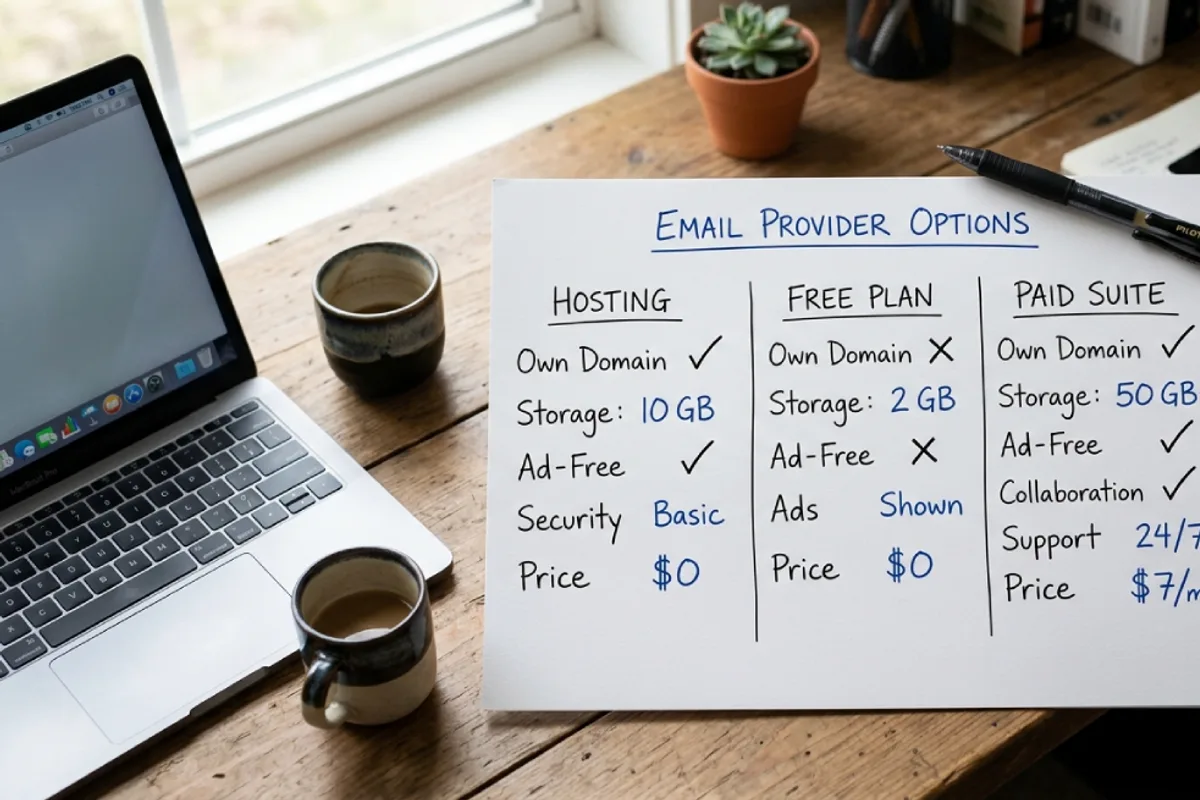
Route 1: Email included with your web hosting (cheapest if you have a site)
Most shared hosting plans - the kind covered in my hosting guide - include email mailboxes at no extra cost. You create info@yourbusiness.com in the hosting control panel and it works in webmail or any mail app. Good: $0 extra, one bill, fine for low-volume inboxes. Honest downsides: storage is limited, spam filtering is mediocre, deliverability from shared servers can be shakier (you share an IP reputation with strangers), and if you ever change hosts you have to move mailboxes too. Verdict: perfectly fine for a solo trade business receiving a few enquiries a day; outgrown quickly once email becomes mission-critical.
Route 2: Zoho Mail (the genuinely free one)
Almost everything marketed as “free business email” is an upsell - Zoho's free tier is the real exception: up to 5 users on your own domain, 5GB per mailbox, free indefinitely. The catches are honest ones: webmail and Zoho's mobile app only (no connecting Outlook/Apple Mail via IMAP on the free plan), and no support to speak of. Paid Zoho starts around $1/user/month and removes those limits. Verdict: the best $0 option that still looks fully professional from the customer's side - customers only ever see you@yourbusiness.com.
Route 3: Google Workspace or Microsoft 365 (the professional standard)
Around $6–$7 per user per month gets you Gmail or Outlook on your own domain plus the ecosystem: 30GB–1TB storage, Drive/OneDrive, Meet/Teams, shared calendars, excellent spam filtering, and deliverability infrastructure that just works. If you live in Gmail already, Workspace feels identical - which is exactly what people searching “business email on gmail” actually want. Verdict: the default recommendation once email is how you win and keep work. It's also what I set up for most client projects, because the support and reliability pay for themselves the first time something matters.
Which route for you? Solo, budget-zero, light email → Zoho free. Already paying for hosting, email is occasional → hosting email. Email is how quotes, bookings and client work happen → Workspace/365 and don't look back. The cost difference between “free” and “best” is about $84/user/year - roughly one lost job.
“Free business email” - what free actually costs
Since “for free” shows up in almost every search around this topic, here's the complete honest map of $0 options:
- 1Zoho Mail free tier - real mailboxes on your domain, the limits above. The best true-free option.
- 2Hosting-included email - free if you're already paying for hosting; it's bundled, not extra.
- 3Email forwarding + send-as - your registrar (or a free forwarding service) forwards info@yourbusiness.com to your personal Gmail, and Gmail's “Send mail as” setting lets you reply from the custom address via SMTP. Clever, genuinely $0, and fine for receiving - but fragile for sending: replies depend on a correctly configured send-as setup, and authentication is harder to get right, which matters for the spam-folder rules below.
- 4What's NOT free: “Google business email for free” doesn't exist - Workspace has a 14-day trial, then it's paid. Anyone promising free Workspace is reselling something odd.
The pattern: free options trade away support, storage and sending robustness. For a business where email is occasional, that trade is fine. For a business where a missed email is a missed job, $7/month is not the place to save money - the same budgeting logic as website maintenance: boring recurring costs that prevent expensive emergencies.
Setup, step by step (any provider, ~30 minutes)
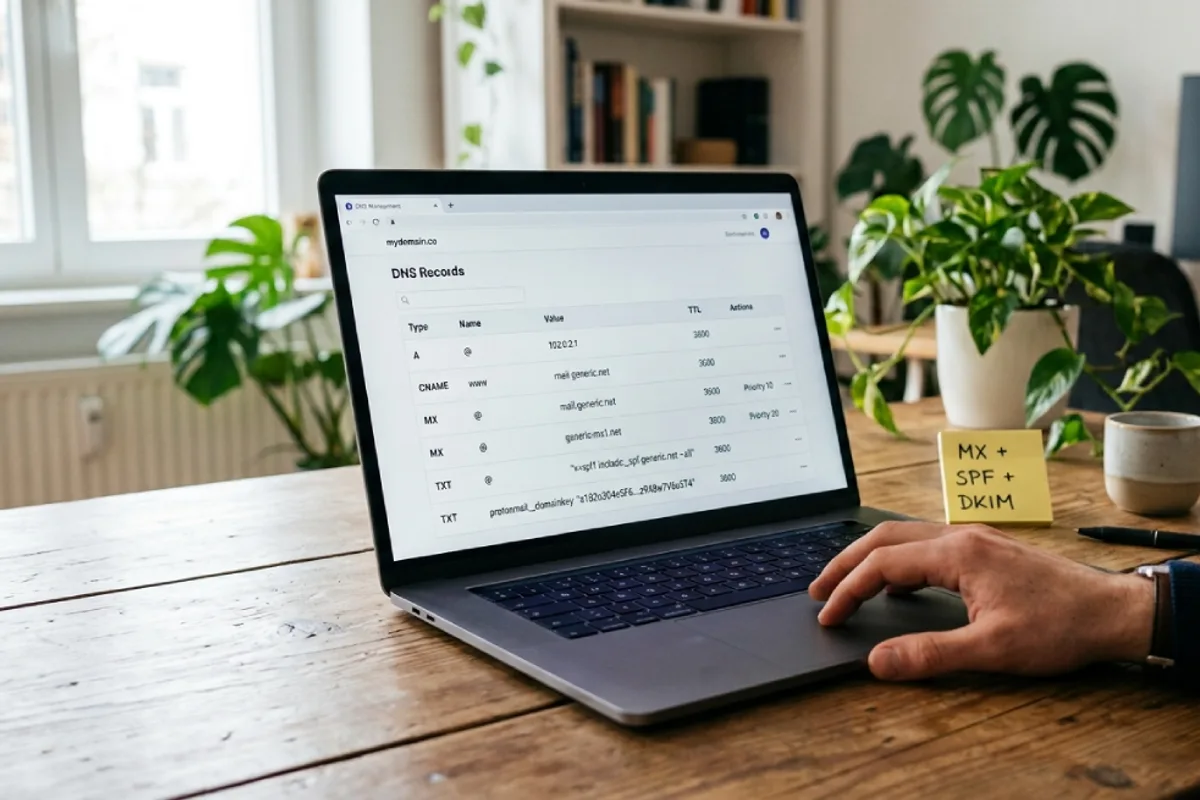
The steps are identical regardless of provider - only the dashboard changes:
- 1Sign up with your chosen provider and tell it your domain name.
- 2Verify domain ownership. The provider gives you a TXT record; you paste it into your domain's DNS settings (at your registrar or wherever your DNS lives). This proves the domain is yours.
- 3Add the MX records. MX records tell the internet “mail for this domain goes HERE.” Your provider lists 1–5 of them; add exactly what they give you and delete any old ones. This is the moment email starts flowing.
- 4Add SPF and DKIM records (provider gives you both - one TXT record each, DKIM sometimes a CNAME). Don't skip these; they're the difference between inbox and spam, explained next.
- 5Create your mailboxes - you@, plus role addresses like info@ or hello@ (aliases are usually free; use them instead of paying for extra users).
- 6Test both directions: send from the new address to a personal account and reply back. Check it doesn't land in spam. Set up your phone. Done.
Two operational notes worth knowing. First, DNS changes take minutes to a few hours to propagate - set email up in the afternoon, not five minutes before you print business cards; it's the same DNS discipline that appears in my website launch checklist. Second, your MX records are independent of your website host - you can redesign, change hosting, or move platforms entirely and email keeps working, as long as whoever does the work preserves the DNS records. That exact issue is the most painful mistake in website migrations, where switching DNS without copying MX records kills company email on launch day.
The spam-folder problem: SPF, DKIM and DMARC in plain English
This is the section most “how to get a business email” guides skip, and it's why so many small businesses send quotes that never arrive. Three DNS records authenticate your mail:
- SPF - a public list of servers allowed to send mail for your domain. Mail from anywhere else looks forged.
- DKIM - a cryptographic signature on every message proving it wasn't tampered with and really came from you.
- DMARC - the policy that tells receiving servers what to do when SPF/DKIM fail (and sends you reports). A minimal monitoring policy is one TXT record.
Why it matters more in 2026: Gmail and Yahoo's sender requirements now expect authentication from everyone, and unauthenticated mail gets filtered aggressively even at small volumes. The good news - your provider generates all three records; you just paste them in during setup. If you've been running custom email for years and quotes “sometimes don't arrive,” missing SPF/DKIM is the first thing to check. It's the email equivalent of the invisible technical issues in my technical SEO checklist: unglamorous, one-time, and quietly decisive.
Choosing the address itself (examples that work)
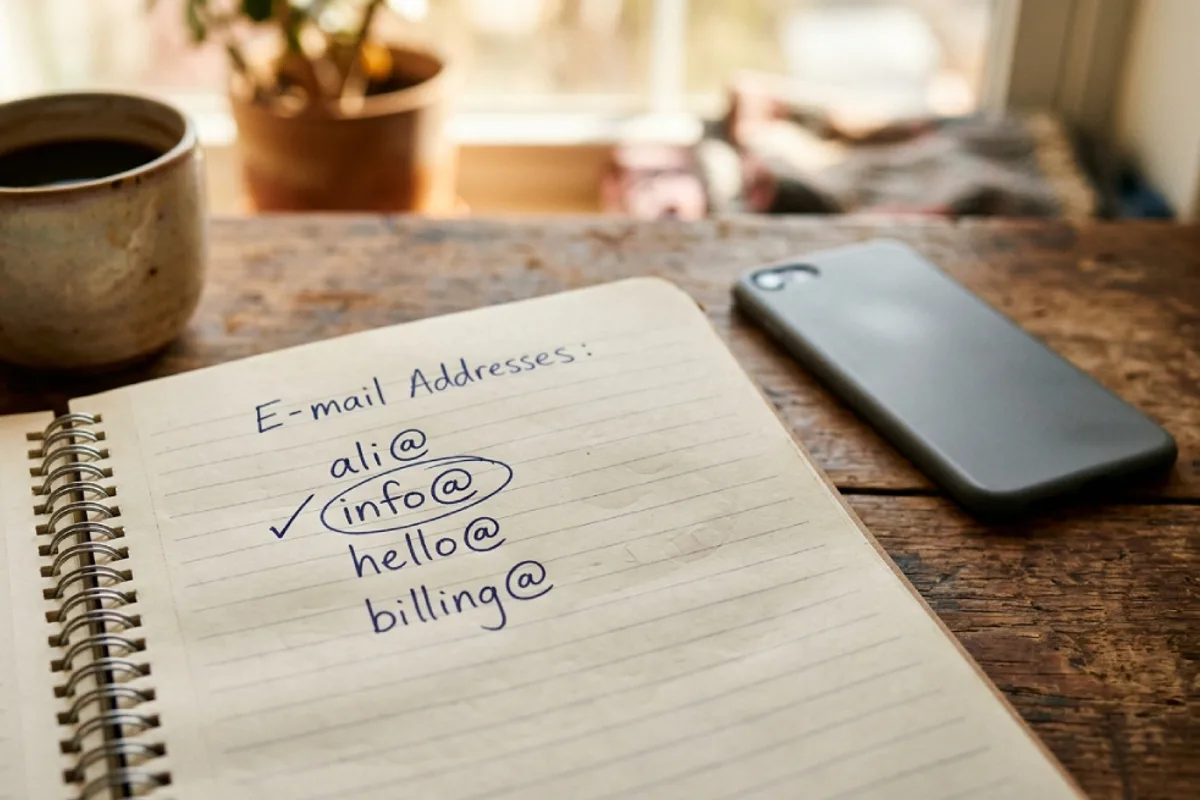
The “professional email address examples” searches are full of generator tools overcomplicating a simple decision. The format that works for almost every small business:
- People: firstname@yourbusiness.com (ali@, sarah@). Clean, memorable, scales until you have two Sarahs. With a common name collision, first.last@ is the standard fallback.
- Roles: info@ or hello@ for general enquiries (hello@ reads friendlier, info@ reads safer - pick by brand tone), billing@ for invoices, support@ if you handle ongoing customers. Set these up as free aliases pointing to a real person's mailbox.
- Avoid: numbers and years (ali2847@ looks exactly like the free address you're escaping), cutesy addresses (thebigcheese@) on anything customer-facing, and one shared inbox@ that everyone checks and no one owns.
One address discipline worth adopting from day one: business email for business only. Sign up for supplier accounts, software and directories with the custom domain - it keeps your Google Business Profile, invoicing and tools tied to an address the business owns, not to whoever's personal Gmail happened to be handy. It also makes the eventual handover painless when you hire or sell.
5 mistakes that cost real money
- 1Letting the domain lapse. Domain expires → email stops → whoever re-registers the domain can receive your mail. Auto-renew, current payment card, done.
- 2Skipping SPF/DKIM. The quote that lands in spam doesn't announce itself - you just “never hear back.” Five minutes of DNS during setup prevents it.
- 3Building the business on a personal address. Every local directory listing, supplier login and customer relationship attached to someone's personal Gmail is a liability the day that person leaves - or the account gets locked.
- 4Paying for users instead of aliases. info@, billing@ and hello@ should be free aliases to one mailbox, not three paid seats. Solo businesses regularly triple their bill this way.
- 5No second factor. Business email is the master key to everything (password resets for your bank, hosting, socials). Turn on two-factor authentication the day you create the account - same threat model as website security, higher stakes.
FAQ: quick answers
How do I get a business email address for free?
Three real options: Zoho Mail's free tier (up to 5 users on your own domain), mailboxes included with web hosting you already pay for, or free email forwarding to Gmail with “send as” configured. All still require owning a domain (~$10–$15/year) - that part has no free workaround worth trusting.
Can I get a business email without a website?
Yes. Email needs a domain, not a website. Register the domain, attach any provider from this guide, and you have working custom email with no site at all - and the domain is ready whenever you build one.
Can I use Gmail for my business email?
Two ways: Google Workspace (~$7/user/month) gives you real Gmail on your own domain - the proper route. Or keep free Gmail and add forwarding + “send mail as” for a $0 approximation that's fine for very light use but weaker on deliverability. A bare @gmail.com address on customer-facing material is the one option to retire.
How much does a business email address cost?
Domain ~$10–$15/year, then $0 (Zoho free/hosting-included) to ~$72–$84 per user per year (Workspace/365). A solo business runs fully professional email for under $100/year total - it's one of the smallest lines in a realistic website budget.
Will my email break if I change my website or host?
Not if the DNS is handled properly. Email lives on MX records, which are independent of your website's hosting. Copy all DNS records before any switch - the standard step in a careful platform migration - and mail continues without interruption.
How many email addresses does a small business need?
Usually one paid mailbox per human, plus 2–3 free aliases (info@/hello@, billing@). Resist creating a mailbox per function - unowned inboxes are where enquiries go to die.
Bottom line
A business email address is a domain, a provider, five DNS records and half an hour - and it upgrades every quote, invoice and reply you'll ever send. Go Zoho or hosting email if budget is the constraint; go Workspace or 365 the moment email is how you win work. Whichever route: auto-renew the domain, paste in SPF and DKIM, use aliases instead of extra seats, and turn on two-factor. That's the entire playbook - most businesses just never see it in one place.
Written by
Ali Rehman - Full Stack Developer
I build fast, scalable web applications with React, Next.js, Node.js & TypeScript. Have a project in mind? Send me a message and get a written plan with a fixed quote - start here.
More articles by Ali Rehman →