
How to Speed Up a WordPress Site: Why It's Slow and What Actually Works (2026)
A slow WordPress site is almost never WordPress's fault - it's one of five fixable things stacked on top of it. Here is the exact order I fix them in: hosting, caching, images, plugins and PHP - plus the slow admin dashboard problem every guide ignores.
 Ali RehmanFull Stack Web Developer
On this page 11 sections
“Why is my WordPress site so slow?” is one of the most-typed frustrations in web search - and the answers people find are usually either “install this plugin” (too shallow) or “configure your server” (too deep). Here is the truth from someone who fixes these for a living: a slow WordPress site is almost never WordPress’s fault. The same software runs some of the fastest sites on the internet. What’s slow is the stack piled on top - cheap hosting, a heavy theme, thirty plugins, and unoptimized images - and every one of those is fixable.
This guide is the WordPress-specific companion to my general why is my website slow breakdown. That article explains the universal causes; this one gives you the exact WordPress fixes in the order that actually moves the needle - including the slow admin dashboard problem that search data shows thousands struggle with and almost no guide covers.
First: why speed is a money problem, not a tech problem
“Does website speed affect SEO?” - yes, directly and indirectly. Google’s Core Web Vitals are a confirmed ranking signal, so a slow site starts every race a step behind the competitors you’re trying to outrank with content and SEO. But the bigger cost is human: around half of visitors abandon a page that takes more than three seconds, which means a slow site quietly burns the traffic you already earned - the classic pattern from how websites lose customers. Fix speed before spending another rupee on marketing; it’s the highest-ROI hour in web work, and it’s also the first thing I check when a site gets visits but no leads.
Step 0: measure before you touch anything
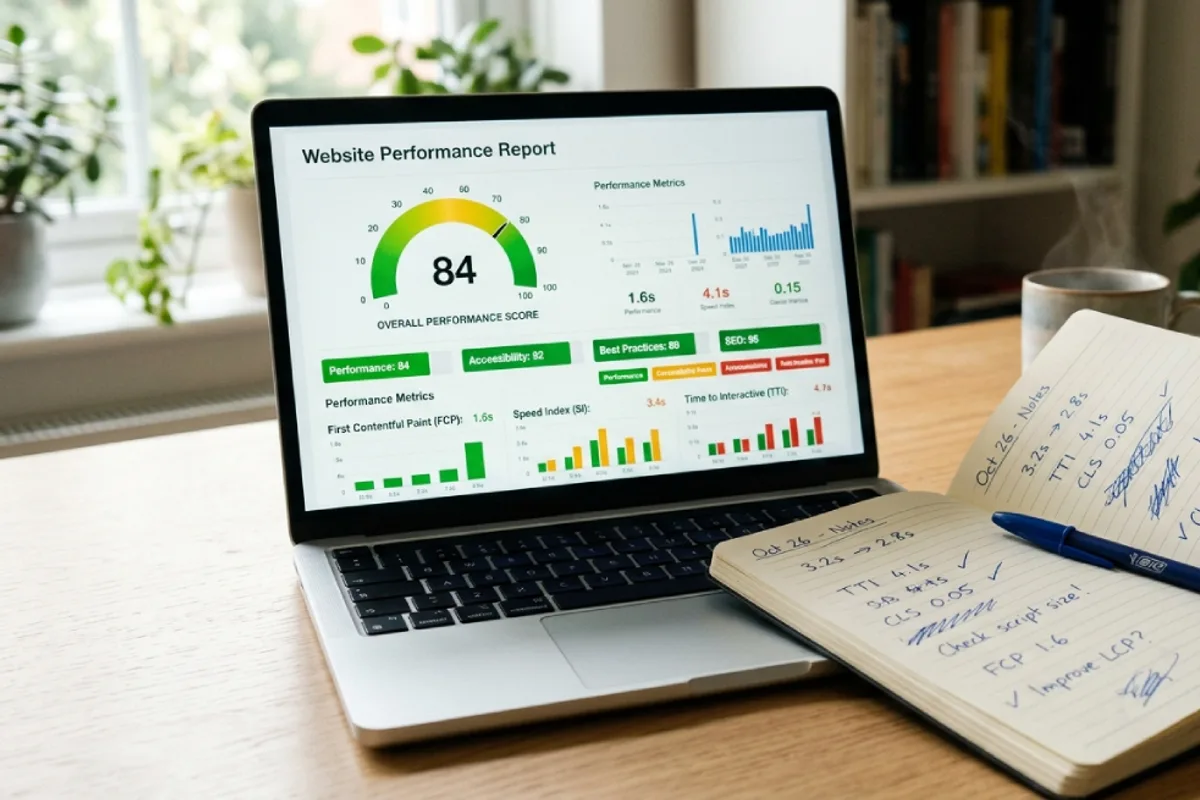
Run your homepage - and your most-visited service page - through PageSpeed Insights (free, Google’s own tool). Note three numbers on mobile, because that is where your customers are and where scores are worst: LCP (how fast the main content appears - target under 2.5s), TTFB (how fast your server responds - target under 0.8s), and total page weight. Save a screenshot. Every fix below should visibly move these numbers; if it doesn’t, you’ve found the wrong bottleneck. One honest warning: don’t chase a perfect 100 score - a real business site with analytics, fonts and images scoring 85+ on mobile is winning. Perfection is a hobby; fast-enough-to-convert is a business goal.
Fix 1: hosting - the ceiling every other fix lives under

“WordPress slow server response time” shows up constantly in the search data because $3/month shared hosting is the single most common root cause of a slow WordPress site. If your TTFB is over one second, no cache plugin or image compression will save you - hundreds of sites are sharing your server’s resources, and yours waits in line on every visit. The fix costs $10–$30/month: move to quality managed WordPress hosting or a modern cloud host with server-level caching, HTTP/2+ and PHP tuned properly. The full selection criteria are in my hosting guide, but the short version: for a business site, hosting is the worst possible place to save $15 a month. Migration sounds scary; good hosts do it for you, free, in a day.
Fix 2: caching - the biggest software win
Without caching, WordPress rebuilds every page from scratch - PHP runs, the database answers queries, the theme assembles - for every single visitor. A page cache does that work once and serves the stored result in milliseconds. “Best cache plugin WordPress” is its own crowded search family, so the honest 2026 answer: if your host is LiteSpeed-based, use LiteSpeed Cache; on other quality hosts, WP Rocket (paid) is the set-and-forget choice; FlyingPress and W3 Total Cache are solid alternatives; and many managed hosts cache at server level so you may need nothing at all. Enable page caching, browser caching and CSS/JS minification - then re-run PageSpeed and watch LCP drop. One rule: run one caching plugin. Two caching plugins don’t stack; they fight, and the site loses.
Fix 3: images - the heaviest thing on almost every site
Open your media library and be honest: are there 4000×3000 photos straight off a phone camera sitting on your homepage? Images are typically 60–70% of a page’s weight, which makes this the fix with the best effort-to-result ratio: (1) resize images to the size they actually display (a 1200px-wide blog image doesn’t need 4000 pixels), (2) convert to WebP - 25–35% smaller than JPEG at the same quality, (3) lazy-load everything below the first screen (WordPress does this natively now; your cache plugin refines it), and (4) let a plugin like ShortPixel, Imagify or Smush batch-convert the existing library so you don’t do it by hand. This is the same discipline covered in the technical SEO checklist - because Google measures exactly what your visitors feel.
Fix 4: the plugin and theme audit nobody wants to do

Plugins are WordPress’s superpower and its most common self-inflicted wound. The problem isn’t the number - twenty lightweight plugins outrun five heavy ones - it’s the weight. The usual suspects: page builders loading their entire framework on every page (the “speed up wordpress with elementor” searches exist for a reason), sliders, mega-menu plugins, social feed embeds, bloated multipurpose themes with 14 bundled demos, and security plugins doing live scans on every request. The audit: deactivate anything you haven’t used in six months; find one plugin that does what three are doing; test your worst page in PageSpeed after each removal. If the theme itself is the anchor - common with older multipurpose themes - a rebuild on a lean theme is often cheaper than endless patching; that math lives in the redesign cost guide, and it’s a core part of what my WordPress development service does.
Two quick wins while you’re in there: update PHP to the newest version your host offers (one click in most hosting panels; PHP 8.x is dramatically faster than the 7.x many sites still run - free double-digit speed gains), and clean the database - years of post revisions, expired transients and orphaned tables from deleted plugins add drag that a cleanup tool like WP-Optimize removes in minutes. Both are exactly the kind of routine work a maintenance plan quietly handles before you ever notice the slowdown.
The slow WordPress admin: the problem every guide skips

Search data shows “wordpress dashboard slow” and “wordpress admin slow” form their own family of frustration - and here’s why generic advice fails: page caching doesn’t apply to the admin area. Your dashboard is built fresh on every click, so its speed depends on raw server power and what’s running in the background. The usual culprits, in order: (1) underpowered hosting again - the admin is where weak servers hurt most; (2) plugins that run heavy tasks in the background (broken-link checkers, analytics processors, page builders loading their editor assets everywhere); (3) WordPress’s task scheduler (WP-Cron) firing on every page load - on busy sites, switching it to a real server cron job is a five-minute fix with outsized results; (4) an old PHP version, again; and (5) object caching missing on database-heavy sites - Redis or Memcached, one toggle on good hosts. If the front of your site is fast but the back is treacle, work this list top to bottom.
WooCommerce: when slow starts costing money by the minute
“WooCommerce slow” - and specifically slow checkout and slow add to cart - is its own search family because stores are the hardest WordPress sites to keep fast. Carts and checkouts can’t be page-cached (they’re unique per shopper), so stores lean far harder on the fundamentals: strong hosting, object caching, a lean theme and disciplined plugins. Three store-specific moves: keep your product image discipline ruthless (hundreds of heavy images compound), enable a persistent object cache for the cart’s database queries, and audit every “conversion booster” plugin - popups, countdown timers and upsell tools are routinely the heaviest things in a store. If your store has outgrown what optimization can fix, the honest comparison in Shopify vs WooCommerce and the numbers in the e-commerce cost guide are the next read.
The order of operations (copy this)
- 1Measure: PageSpeed Insights on mobile for your top 2 pages. Screenshot the scores, note LCP and TTFB.
- 2Hosting: TTFB over 1 second? Move hosts first - use the hosting guide. Nothing else works well on a slow server.
- 3Caching: one quality cache plugin (or your host’s server cache), page caching + minification on.
- 4Images: batch-convert the library to WebP, resize the oversized, confirm lazy-loading.
- 5Audit: remove or replace heavy plugins, update PHP to 8.x, clean the database.
- 6Admin still slow? Work the dashboard list: server power → background plugins → real cron → object cache.
- 7Re-measure and keep the receipts. Before/after screenshots tell you - and anyone you hire - exactly what worked.
Realistic expectations: steps 2–5 are a weekend for a careful owner, and they take most slow sites from 5–8 seconds to under 2.5. What they cost professionally: speed-tune projects typically run $150–$500 one-time, or come bundled in a monthly care plan - the going rates for either are in what web developers charge.
When it's not worth optimizing anymore
Honesty clause: some sites are past saving. A seven-year-old multipurpose theme with a page builder, forty plugins and shortcodes woven through every page can absorb endless optimization hours and still crawl. The signal: you’ve done hosting + caching + images and mobile LCP still won’t break 4 seconds. At that point a lean rebuild - same content, modern foundation - beats another round of patches, both in cost and in outcome. That’s a redesign decision, and for businesses that have outgrown WordPress’s plugin economy entirely, the WordPress vs custom build comparison is the next honest read - it’s exactly the kind of ground-up performance work behind builds like Nestora.
The bottom line
WordPress isn’t slow - neglected WordPress is slow. Five fixes in the right order (hosting, caching, images, plugin audit, PHP) solve the overwhelming majority of slow sites in a weekend, and the admin-specific list handles the dashboard the other guides forget. Measure first, fix in order, re-measure, and stop at fast-enough-to-convert. And if you’d rather not spend your weekend in hosting panels - that’s a legitimate choice too; it’s literally what maintenance plans are for.
Written by
Ali Rehman - Full Stack Developer
I build fast, scalable web applications with React, Next.js, Node.js & TypeScript. Have a project in mind? Send me a message and get a written plan with a fixed quote - start here.
More articles by Ali Rehman →