
Nestora Property Discovery.
Find the relevant details. Keep the comparison clear.
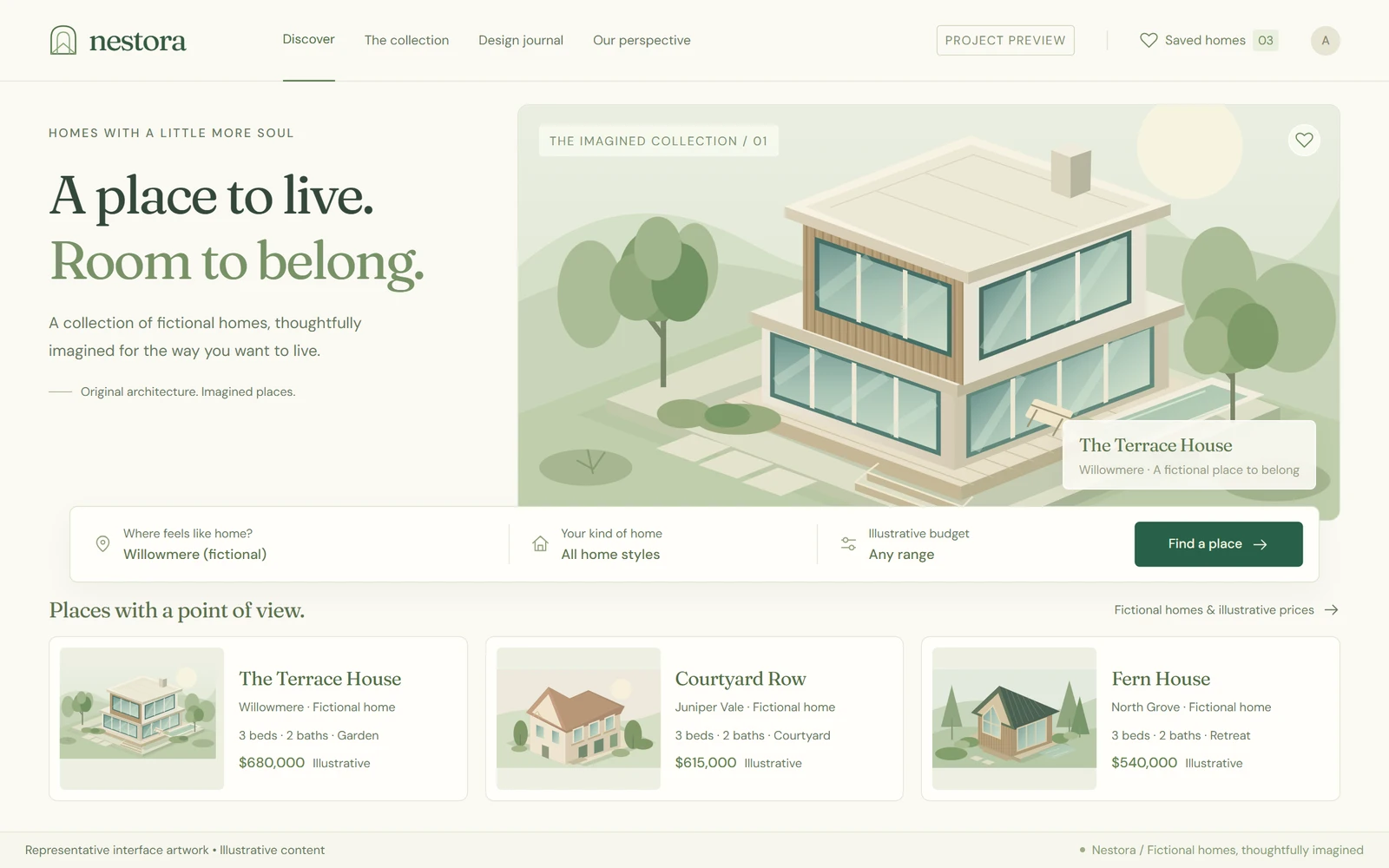
A completed personal property-discovery project focused on browsing listings, comparing useful details and a considered search-and-shortlist experience.
- Project type
- Independent personal build
- Project focus
- Property search website development
- Presentation
- Two representative interface visuals
- Viewing mode
- Portfolio case study
A clear purpose.
A considered build.
The challenge
Property browsing becomes harder when filters, listing facts and saved choices feel disconnected. The interface needs to help a visitor compare useful information without turning every screen into a dense set of controls.
The approach
Nestora connects discovery, consistent listing cards and shortlist-oriented presentation. The case study explains the structure of that experience with entirely fictional properties, keeping licensed listings, client addresses and private agent systems out of the portfolio.
Who the experience is for
A property-discovery website use case for people comparing homes. All homes, locations and any prices in the representative artwork are fictional.
Real development experience. Independent projects.
I have built client websites and web applications as part of an agency team. Those deliveries are separate from the independently branded projects shown here; client code, screenshots and private data are not reused.
A closer look at the project.
Explore the next screen below, or open the gallery to browse all project previews.
Search and shortlist
Illustrative interface · Sample content
The journey,
step by step.
The key experiences and information decisions covered by this case study.
Start with preferences
The discovery experience introduces area, room and budget criteria in a defined visual hierarchy, using sample listings rather than a live market feed.
Compare essential details
Listing cards organise the same fields consistently, making it easier to compare the properties represented in the showcase.
Keep promising options together
The shortlist presentation keeps selected properties in context. The portfolio itself is not an agent portal or an interactive listing service.
More than a
different colour palette.
Forest green and warm neutrals frame original architectural illustrations. Compact facts and clear search controls make the listing hierarchy easy to scan. The discovery and detail directions use the same visual language so a shortlist feels like part of the same experience rather than a separate tool.
Consistent listing structure
A repeatable content hierarchy connects search controls, listing cards and the comparison experience.
Original demonstration content
The property artwork and text belong to this portfolio presentation, not to a scraped property feed or customer account.
Data rights remain separate
A real MLS or FMLS connection requires its own agreement and access rules. Completion of this personal project does not imply those licences.
The work.
And its context.
This case study presents the project's purpose and interface decisions without requiring a public demo or account access.
These describe the work's subject and design priorities, not a list of unverified technologies or integrations.
- 01SCOPE & CONTEXT
Completed personal property-discovery project.
- 02SCOPE & CONTEXT
Representative artwork uses fictional listings and is not a live property catalogue.
- 03SCOPE & CONTEXT
No MLS, FMLS, agent-system or lead-volume result is claimed.
- 04SCOPE & CONTEXT
Any real listing integration and production access must be separately authorised and reviewed.
About this project.
Personal implementation, representative visuals and live access are separate things. The case study makes that distinction explicit.
Is this project completed, and can I open the live site?
This is a completed personal project. The public page is a case study, not a live application demo. Live-site URLs, account logins and source-code links are intentionally not published.
How is the project credited?
This is an independent personal implementation by Ali Rehman, presented as a personal case study rather than a client engagement.
What do the project visuals show?
Representative interface artwork with illustrative content, retained from the design process. These visuals are not screenshots of the finished application or evidence of production results.
Can we discuss a similar project?
Yes. Use the contact page to describe your requirements. Any new work would have its own scope and original implementation; client code, confidential data and proprietary assets are not shared.
Planning something similar?
Explore the relevant service scope and a practical planning guide before describing your requirements.
Keep exploring.
All personal projects
Have a project in mind?
Let's discuss an original build around your requirements—not reuse an employer's work.
All previews stay inside this portfolio.