
HubSpot CRM for Small Business: Setup and Plan Checks (2026)
Organise contacts, enquiries and follow-up with a seven-step HubSpot setup. Check current account-specific features, seats, limits and pricing before choosing free tools or a paid plan.
 Ali RehmanFull Stack Web Developer
On this page 8 sections
Here is how lead management actually looks in most small businesses: one inquiry sits in the email inbox, another in WhatsApp, two more in Instagram DMs, and the "pipeline" is a spreadsheet nobody has opened since March. Every lead that slips through those cracks is revenue you already earned the hard way - you paid for the website, the ads, the content - and then lost at the last step. Research consistently shows companies see an average return of $8.71 for every $1 spent on CRM (Nucleus Research), not because CRMs are magic, but because organized follow-up beats memory every single time.
HubSpot is a common option for small businesses considering a CRM, but its free tools and paid product tiers need to be evaluated separately. This guide explains the core setup and decision points. Cedarline Advisory is a personal project in progress with service-page previews and a planned enquiry journey, not a completed HubSpot implementation.
What HubSpot Actually Is (in Plain Language)
Strip away the marketing language and HubSpot is a shared, structured memory for your business relationships. Every contact, every conversation, every deal, every form submission lives in one timeline instead of five inboxes. When a customer replies after three months of silence, you see the whole history in one glance - who they are, what they asked, what you quoted, why it stalled.
HubSpot groups CRM, marketing, sales, service and content tools into related products. A website or CRM integration should be selected for its actual requirements, limits and current pricing, rather than an assumed need for every product. Cedarline Advisory is a personal project in progress with a proposed minimal enquiry-to-CRM handoff; that integration is planned, not implemented.
The reason a CRM matters more than another marketing tool: your website already generates interest - if it does not, fix that first with my guide on why websites don't show up on Google - but interest without organized follow-up quietly dies. I documented that leak in 7 signs your website is losing you customers; a CRM is the fix for the follow-up half of the problem.
Is the HubSpot Free Plan Actually Enough?

It depends on the features and access your team needs, not just its size. Before importing data or inviting colleagues, check the official HubSpot Product and Services Catalog and the entitlements shown in your account. The following describes the purpose of common CRM tools, not a promise that every feature or quota is included in every free account:
- Contacts and team access - keep relationship records in one place. Verify current record limits, available seats, permissions and any account-specific conditions before inviting the whole team.
- Contact and company records - associate notes, tasks and supported activities with a relationship. Check which channels, history and visibility controls your selected tools provide.
- Deal pipelines - track opportunities through defined stages. The number of pipelines and available controls depend on the product and plan; start by mapping the sales process you actually need.
- Forms - collect enquiries and map submissions to CRM fields. Confirm available form types, embedding options, branding, consent settings and submission behaviour for your account.
- Email connections - supported inbox integrations can log selected correspondence against contacts. Test logging settings, permissions and exclusions rather than assuming every conversation is captured.
- Chat, marketing email and reporting - evaluate these separately. Send quotas, marketing-contact allowances, dashboards, branding and automation are product- and plan-specific, not universal free-plan entitlements.
Make a requirements checklist for seats, stored contacts, marketing contacts, email sends, pipelines, branding, reporting and automation. These are separate limits, and availability can vary by Hub, edition and account. Confirm each item in the current catalog and account settings, including what happens when a limit is reached. If free tools do not meet a required permission or workflow, compare paid options or another CRM before committing your data and team.
HubSpot Pricing: What to Check for Your Account
Use HubSpot’s current product pricing, the catalog and the order terms for your account rather than an old comparison table. Confirm the selected Hub, edition, currency, billing term, seat types, contact tier and any onboarding or add-on charges. This guide does not supply replacement prices or quotas that have not been verified:
- Free tools: evaluate the currently offered no-cost features and their limits in your account. Do not interpret a free tier as unlimited access or a promise that its terms will remain unchanged forever.
- Starter: compare the exact Hub or bundle and the seats your team needs. Check branding removal, pipeline access, automation, support and payment features individually; the name of the tier does not establish that every feature is included. Confirm the checkout price and renewal terms for your account.
- Professional: list the specific workflows, reporting or team controls that require this edition. Compare the full quoted cost, including applicable seats, marketing contacts, onboarding, add-ons and contract terms. A higher tier is justified by a documented requirement, not by a universal team-size rule.
Check three separate cost drivers: marketing-contact tiers and how contacts become billable; seat types, permissions and which users require paid access; and billing and renewal terms, including contract length and cancellation conditions. Do not assume all stored contacts or all invited users are billed alike. Include the verified recurring cost in your wider budget, alongside the other items in the 2026 website cost guide.
Start with free tools only if their verified limits and permissions meet your requirements. Keep a record of any missing feature, its operational impact and the cost of alternatives before upgrading. A clear owner, clean data and a tested follow-up process matter on every plan; the setup checklist below helps establish those habits.
The 7-Step HubSpot Setup for Small Businesses
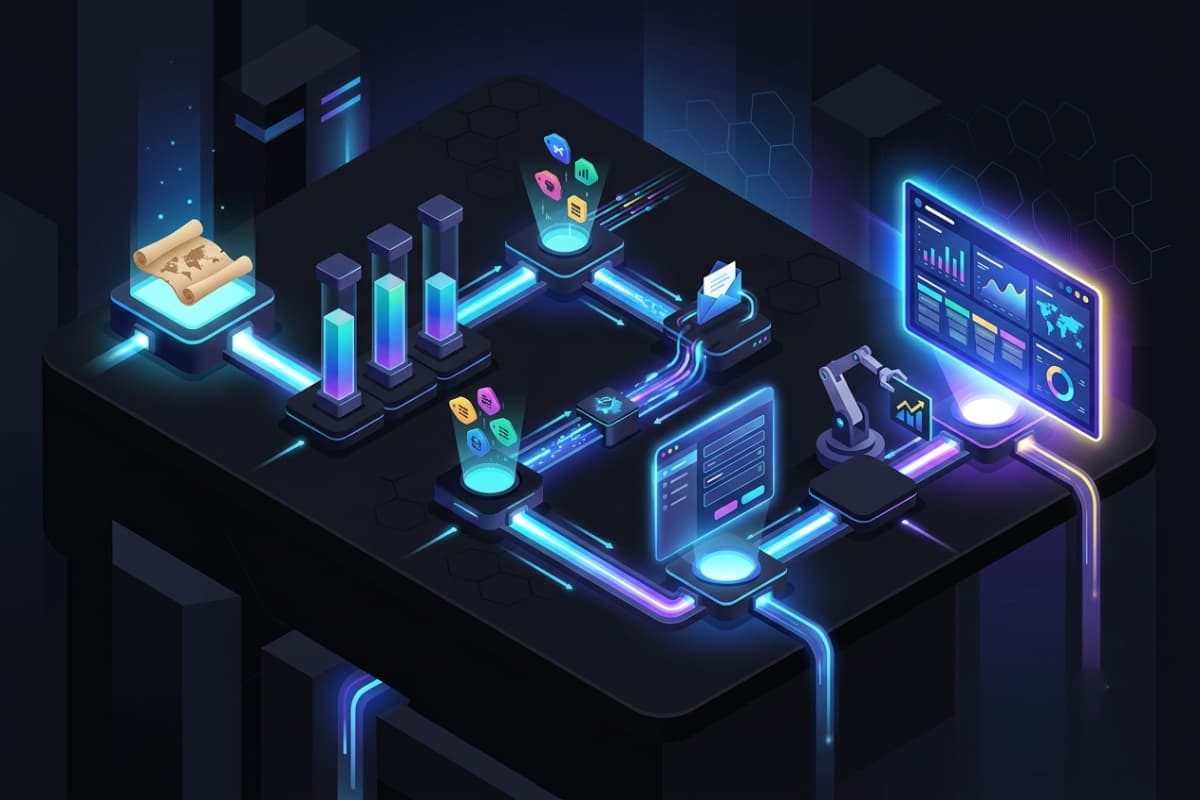
A CRM is only as good as its setup week. This is the exact sequence I run for clients through my HubSpot CRM setup service - do it yourself in a focused afternoon or two:
- 1Map your real sales process first. On paper, before touching software: how does a stranger become a customer? Inquiry → qualified → quoted → negotiating → won/lost is enough for most. Your pipeline stages must mirror how you actually sell, not HubSpot's defaults.
- 2Configure the available deal pipeline. Use stages that reflect your actual process and define what qualifies a deal for each stage. A single simple workflow is a starting design choice, not a statement of the plan’s pipeline allowance; confirm the controls available in your account.
- 3Choose the fields you need. Map essentials such as service type, lead source and timeline to available properties. Check custom-property limits before relying on new fields, minimise personal data and document who should maintain it.
- 4Connect supported email and calendar tools. Check feature availability and permissions, then test which messages are logged, who can see them and which addresses should be excluded. If scheduling tools are available, confirm booking rules with a test appointment.
- 5Test the website-to-CRM handoff. Choose a supported embedded form or API integration, map the fields and verify consent, duplicate handling, spam controls and failure reporting. Contact creation and any deal creation must be tested separately against the available features. This connects your website and CRM without pretending an integration can never fail.
- 6Set a follow-up process before automating. Assign an owner and record the next task manually if necessary. Automated assignment, task creation, welcome emails and reminders require the relevant product and plan features; verify them in the account and test each rule before relying on it.
- 7Review the pipeline weekly. Use the reports or views available in your account to check deals by stage, new leads and overdue tasks. A short manual review is still useful if a desired dashboard requires a different plan.
Connecting HubSpot to Your Website (Where the Real Value Is)

Plan the handoff explicitly: a visitor submits a form, valid data reaches the CRM, an owner reviews it and a follow-up is recorded. Which steps can be automated depends on your account’s features and the integration you implement. Monitor errors and retain a recovery process instead of assuming every lead will arrive. Compare these integration options:
- Embedded HubSpot forms - use a supported embed where your site allows scripts. Check available forms, styling, branding, consent controls and accessibility in the selected account before replacing a working form.
- The HubSpot tracking code - can associate supported visit activity with contacts, subject to consent, browser behaviour and account settings. Do not expect complete tracking of every visitor or session.
- API integration - connect a custom form to the appropriate supported endpoint. Verify API access and rate limits, validate input, keep private credentials server-side, and test error handling as well as successful submissions.
- HubSpot CMS can connect website content, forms and CRM workflows, subject to the selected product and plan. Compare those capabilities with the business requirements. Cedarline Advisory, a personal project in progress, explores service and resource layouts; its previews do not demonstrate a running HubSpot integration.
One warning from the performance side: HubSpot's tracking script and chat widget are third-party JavaScript, and stacking widgets is one of the classic causes of a slow website. Load them after interaction or with a delay strategy - the leads are not worth losing your Core Web Vitals over, especially when speed itself affects how many visitors ever reach the form.
The 5 Mistakes That Kill Small Business CRMs
- Importing dirty data. Dumping an old spreadsheet with duplicates, dead contacts and inconsistent fields poisons the system on day one. Clean before import, not after.
- Over-automating on day one. Ten workflows nobody understands break silently and erode trust in the tool. Start with two, add more when the first two are boringly reliable.
- No owner. If everyone owns the CRM, nobody does. One person - even part-time - owns data hygiene and the weekly review.
- Paying for unused tiers. The classic HubSpot regret: upgrading to Professional for one feature, using 10% of it, and locking into an annual contract. Upgrade when a limit hurts weekly, not once.
- Treating the CRM as separate from the website. They are one funnel. If the website leaks visitors before the form, fix that first - sometimes the honest answer is a redesign before a CRM.
When HubSpot Is the Wrong Choice
Honesty over affiliate links: skip HubSpot if you get fewer than a handful of leads a month (a disciplined inbox plus a simple sheet is genuinely fine at that volume), if your team lives in Google Workspace and wants zero new tools (compare alternatives such as Pipedrive or Zoho using their current product pricing and integration requirements), or if you need deep industry-specific features (field service, real estate MLS, medical scheduling) where a vertical CRM beats a horizontal one. And if your bottleneck is traffic rather than follow-up, spend the budget on content and SEO first - a CRM cannot follow up with visitors who never arrive.
Choose HubSpot when a hands-on trial shows that the available tools fit your sales process, team access and budget. Document any paid features needed before committing to an upgrade path. My HubSpot setup service can help scope the pipeline, properties, forms, integrations and available automation, with the written requirements and quote that a professional engagement should have.
HubSpot CRM FAQs
Is HubSpot CRM free, and what limits apply?
HubSpot offers free tools alongside paid products, but that does not establish unlimited seats, contacts, email sends or workflows. Check the current product catalog, pricing and account entitlements for the tools you intend to use. Branding, pipelines, automation and access can depend on the product and plan; do not rely on an old “free forever” summary as a contract.
How long does HubSpot setup take for a small business?
A focused DIY setup takes 4-8 hours spread over a week: pipeline and properties one afternoon, email connection and forms the next, automation and dashboard last. A professional setup typically delivers the same in 3-5 working days including data import, website integration and a handover walkthrough.
Can HubSpot work with my WordPress website?
HubSpot supports WordPress integration through its plugin and supported embeds, while custom sites can use an appropriate API integration. Confirm the features included in your account and test forms, consent settings, loading behaviour and failed submissions. Installing a plugin does not grant access to features outside the selected product or plan.
HubSpot vs a spreadsheet - is upgrading worth it?
A CRM can centralise contacts, shared ownership and follow-up more clearly than a spreadsheet, but automatic logging and workflows depend on configuration and available features. Compare the manual work, missed follow-ups, team access requirements and full cost in your own process. Lead volume alone does not establish that an upgrade is worthwhile.
Do I need a developer to set up HubSpot?
For the CRM basics, no - the steps above are clickable by any patient owner. A developer earns their fee at the website boundary: custom form integrations, tracking without killing page speed, migrating from an old system, or building on HubSpot CMS. In other words: CRM configuration is admin work; CRM-website integration is development work.
A CRM supports follow-up; it does not create demand or guarantee a return on its own. Choose a plan whose verified features fit your requirements, test the website handoff and review the pipeline regularly. Measure response times, missed follow-ups and the cost of maintaining the system before claiming a benefit. For help scoping contacts, forms, integrations and available automation, use the contact page to request a written plan and quote.
Written by
Ali Rehman - Full Stack Developer
I build fast, scalable web applications with React, Next.js, Node.js & TypeScript. Have a project in mind? Send me a message and get a written plan with a fixed quote - start here.
More articles by Ali Rehman →