
Foliora People.
Team information with a clearer place to belong.
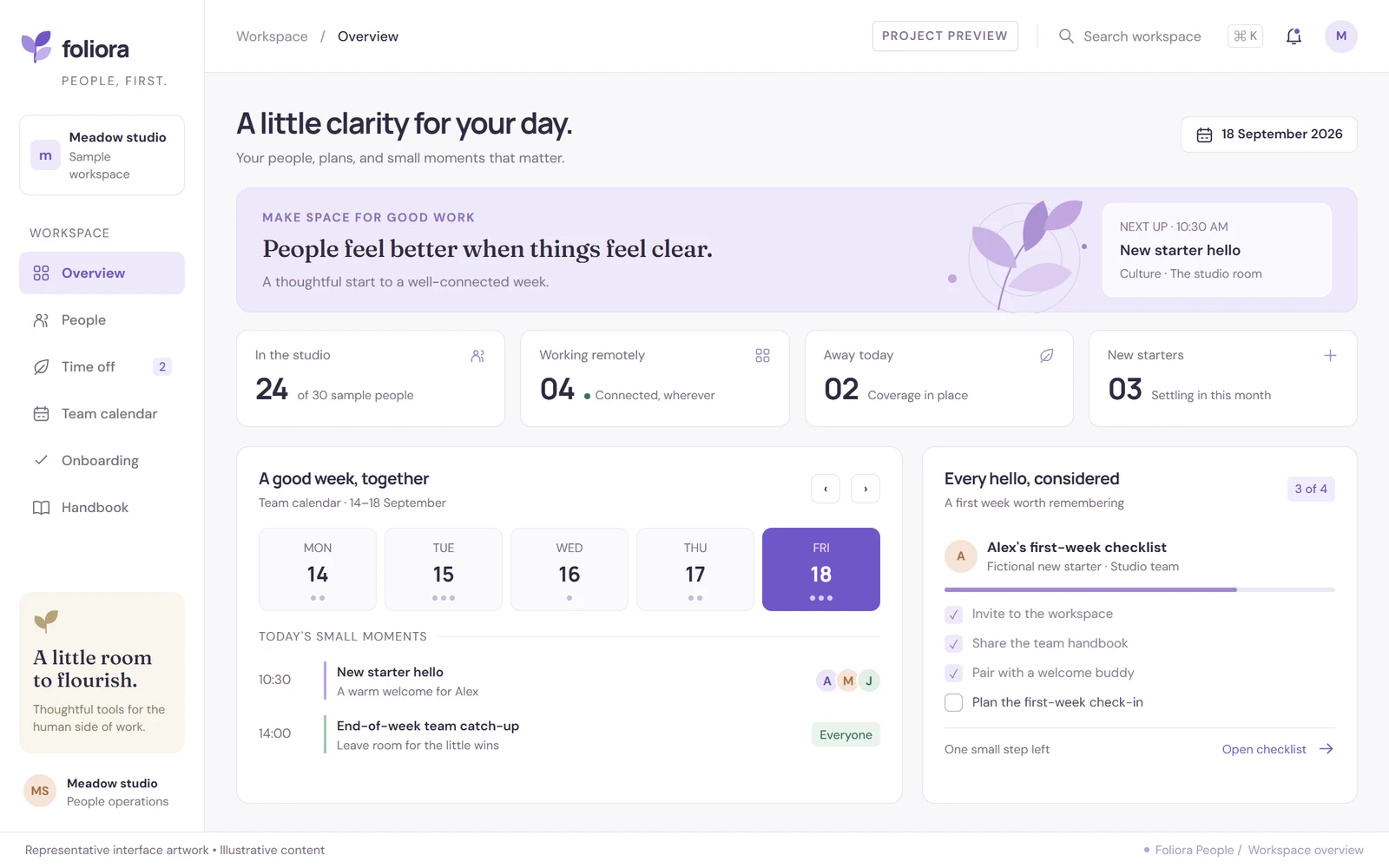
A completed personal people-operations application centred on team availability, onboarding information and a clear time-off request experience.
- Project type
- Independent personal build
- Project focus
- HR and people-operations application
- Presentation
- Two representative interface visuals
- Viewing mode
- Portfolio case study
A clear purpose.
A considered build.
The challenge
Team coordinators need to understand availability and the next action on a request without searching through disconnected messages. Combining these activities also demands restraint: not every workplace task needs salary, identity or medical information.
The approach
Foliora organises the experience around an overview and a request board. This case study explains the hierarchy of status, dates and ownership, using representative scenarios rather than publishing employee records or claiming a production HR rollout.
Who the experience is for
Small teams coordinating availability and onboarding. The names and activity shown in the portfolio are illustrative, not records from an employer's HR system.
Real development experience. Independent projects.
I have built client websites and web applications as part of an agency team. Those deliveries are separate from the independently branded projects shown here; client code, screenshots and private data are not reused.
A closer look at the project.
Explore the next screen below, or open the gallery to browse all project previews.
Time-off request board
Illustrative interface · Sample content
The journey,
step by step.
The key experiences and information decisions covered by this case study.
Review availability
The overview groups upcoming absences and onboarding context so the reader can move from a broad team view to the relevant item.
Follow a request
Dates, request state and a next action are presented together instead of scattering them across unrelated screens.
Keep decisions understandable
The request-board presentation makes ownership and state visible. Screenshots or sample cards alone are not evidence of a particular live permission model.
More than a
different colour palette.
A lavender navigation rail and warm workspace canvas give the application a recognisable identity. Compact cards and explicit state labels separate a team overview from the detail required to understand one request. The design avoids treating a dense payroll table as the default home screen.
Separate overview from detail
A concise home screen gives orientation; individual requests carry their own supporting information.
Use words as well as colour
Written status labels explain the state of a request rather than relying only on coloured indicators.
Keep public examples minimal
Salary, identification documents, medical information and private contact details are excluded from the portfolio presentation.
The work.
And its context.
This case study presents the project's purpose and interface decisions without requiring a public demo or account access.
These describe the work's subject and design priorities, not a list of unverified technologies or integrations.
- 01SCOPE & CONTEXT
Completed personal application; not a publicly accessible employee portal.
- 02SCOPE & CONTEXT
Representative interface visuals use sample workplace information.
- 03SCOPE & CONTEXT
Payroll, biometric hardware and live HR integrations are not claimed by this case study.
- 04SCOPE & CONTEXT
A production HR deployment needs its own access, privacy and recovery review.
About this project.
Personal implementation, representative visuals and live access are separate things. The case study makes that distinction explicit.
Is this project completed, and can I open the live site?
This is a completed personal project. The public page is a case study, not a live application demo. Live-site URLs, account logins and source-code links are intentionally not published.
How is the project credited?
This is an independent personal implementation by Ali Rehman, presented as a personal case study rather than a client engagement.
What do the project visuals show?
Representative interface artwork with illustrative content, retained from the design process. These visuals are not screenshots of the finished application or evidence of production results.
Can we discuss a similar project?
Yes. Use the contact page to describe your requirements. Any new work would have its own scope and original implementation; client code, confidential data and proprietary assets are not shared.
Planning something similar?
Explore the relevant service scope and a practical planning guide before describing your requirements.
Keep exploring.
All personal projects
Have a project in mind?
Let's discuss an original build around your requirements—not reuse an employer's work.
All previews stay inside this portfolio.